How to Use eSIMs for International Travel in 2026: Best Plans, Cheapest Options, and How to Set It Up
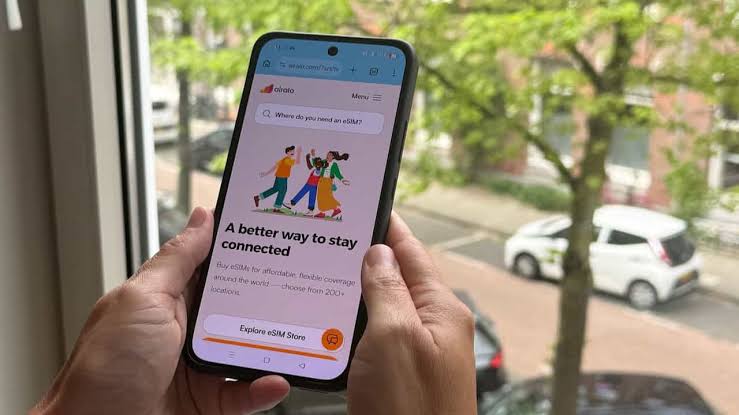
Landing in a new city with no data is one of the easiest travel headaches to avoid. Roaming is expensive and patchy, the airport SIM shop is closed, and you're stuck in the taxi queue with a map that won't load. eSIMs fix most of that. More phones support them than ever, providers cover almost every country, and setting one up is now simple. If you still hunt for a SIM card at the airport or pay $15 a day in roaming charges, you're probably spending more than you need to.
Here's how eSIMs work, when they make sense, and when a local SIM card is still the better choice.
What an eSIM Is
A normal SIM card is a small chip you push into your phone. An eSIM (embedded SIM) is a chip already built into the phone that can download a mobile plan over the internet, so there's nothing to insert. You buy a data plan from an eSIM provider, get a QR code or a one-tap install link, and your phone downloads the plan. It takes about five minutes, and you'll have data in whichever countries the plan covers.
Most flagship phones from the last few years support eSIM, including the iPhone XS and later, the Samsung Galaxy S20 and later, and the Google Pixel 3a and later. Many cheaper Android phones, and some models sold in parts of Africa and Asia, don't, so check before you buy a plan. Your phone also needs to be unlocked, because some carriers block other providers' eSIMs. Look in your settings under "Mobile Data," "Cellular" or "SIM & Network." If you see "Add eSIM" or "Add Data Plan," you're set.
eSIM vs Local SIM Card
In short, eSIMs are best for trips under two weeks, trips through several countries, and anyone who wants an easy setup. Local SIMs are best for longer stays in one country, especially if you use a lot of data.
Best eSIM Providers in 2026
Airalo
One of the most widely used eSIM stores, with plans for 200 or so countries and regions. The app is easy to use, and small data packs start at around $4.50. Most plans give you a fixed amount of data that you top up when needed. You earn Airmoney credit on purchases, which adds up if you travel often. For most people on a short trip abroad, it's the one I'd suggest first.
Holafly
Known for unlimited data plans priced by the number of days rather than by the gigabyte. It suits people who don't want to watch their data and like to stream or use maps all day. Hotspot sharing is limited on many plans, which is a problem if you need to connect a laptop. Light users will pay more than with a capped plan, but heavy users often get better value.
Saily (by NordVPN)
Made by the company behind NordVPN, Saily adds security features such as ad and tracker blocking inside its app. It covers most popular destinations at competitive prices, and it's a sensible choice if you worry about privacy while traveling.
Nomad eSIM
Good prices on regional plans, especially in Southeast Asia and Europe, with small starter plans for a few dollars. The app is clean and setup is simple. Compare its regional prices with Airalo's before you buy, because the cheaper of the two changes from region to region.
Typical eSIM Prices by Region in 2026
How to Set Up an eSIM: Step by Step
Check eSIM compatibility. Go to Settings on your phone, look for "Mobile Data," "SIM & Network," or "Cellular." If you see "Add eSIM," "Add Data Plan," or a "+" next to your SIM section, your phone supports eSIM. Also make sure your phone is unlocked, because locked phones may block other providers' eSIMs.
Buy your eSIM plan before departure. Visit Airalo.com, Holafly.com, or your chosen provider. Search for your destination country or region. Pick a plan that fits the length of your trip and how much data you use, then pay. You'll get a QR code or install link within minutes.
Install the eSIM while still on WiFi at home (before you travel). Go to Settings → Mobile Data or Cellular → Add eSIM. Scan the QR code from the email (or enter the activation code manually). It downloads in a minute or two. Give the plan a clear name, such as "Thailand Data". Some plans start their validity period as soon as they're installed, so check your provider's instructions about when to install.
Configure data settings before departure. Set the eSIM as the line for mobile data, and keep your home SIM on for calls and texts if you want them. On iPhone, go to Settings, then Mobile Data (or Cellular), and choose the eSIM for data. On Android, go to Settings, then Network or SIM, and pick the eSIM as your data SIM. Turn on data roaming for the eSIM line, since most travel eSIMs need it to connect. Then turn off data roaming on your home SIM so you don't get a surprise bill.
When you land, turn on your phone and you're connected. The eSIM should connect to a local network on its own. No SIM shop, no queue. Check that data works before you get in a taxi or leave the airport. If it doesn't, restart your phone and make sure data roaming is on for the eSIM line.
Monitor data usage and top up if needed. Most eSIM apps show your remaining data balance. Top up in the app before you run out. Adding data mid-trip takes a few minutes with most providers.
Most eSIM QR codes can only be used once. If the install fails because of weak WiFi or a glitch, you'll need customer support to send a new code, which is stressful at the airport. Install on reliable WiFi a day or two before you leave, as long as your plan's validity doesn't start at installation. You need an internet connection to install, so don't wait until you've landed without data.
When a Local Physical SIM Is Still Better
For most travelers an eSIM is the easy default, but a local SIM is better in a few situations.
Two weeks or more in one country. In Thailand, a tourist SIM from AIS or TrueMove H with plenty of data for a month often costs around half as much as an eSIM with similar data. The 10 or 20 minutes it takes to buy one at the airport pays off on a long stay.
You need a local phone number. If you'll be calling restaurants, drivers or guesthouses, or need a local number for apps and deliveries, a local SIM gives you one. Most travel eSIMs are data only.
Places where eSIM coverage is weak. In some countries, travel eSIMs can only use one local network, and it may not be the strongest where you're going. This matters in parts of Africa in particular. Check which network the eSIM uses and how good its coverage is in the areas you'll visit.
For trips under two weeks, buy an eSIM for your destination or region before you fly. For longer stays in one country, use a small eSIM plan to get through arrival, then buy a local SIM from an official carrier shop in the first day or two. Either way, have data working before you leave the airport. Relying on hotel WiFi to find your way around a new city is how trips get off to a bad start.